The video is perfect. The captions don't exist.
You know the moment. Someone shares a talk, a tutorial, a podcast clip — exactly the thing you wanted — and you open it on YouTube only to find the subtitle button greyed out. No captions, no transcript, nothing for a translator to work with.
Read Frog's video subtitles have translated YouTube captions into your language since 1.22.1. But that feature had one hard requirement: the captions had to exist first.
As of 1.46.0, they don't have to. Click one button and AI transcribes the audio itself, then shows it as the same bilingual subtitle overlay you already know.
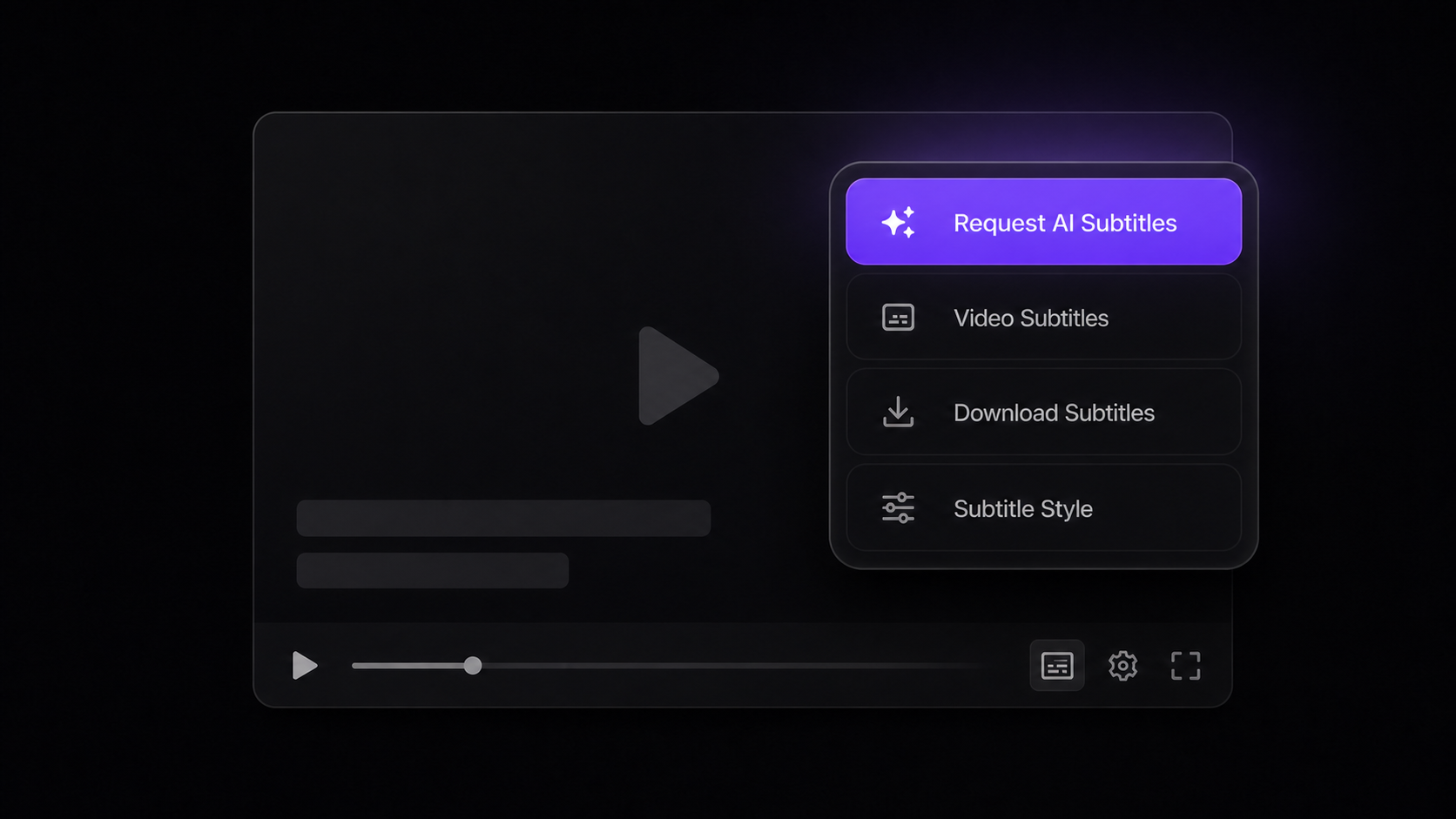
What's new
| The video... | Before 1.46.0 | With 1.46.0 |
|---|---|---|
| has captions | Translated into your language | Same as before — free for everyone |
| has no captions | Nothing we could do | AI transcribes the audio, then translates it |
| has only rough auto-captions | Mis-heard terms carried straight into the translation | Request AI subtitles for a more accurate transcript |
So this is really two capabilities in one button: videos without subtitles get them, and videos with sloppy auto-captions get better ones. Online courses, lectures, technical talks — the places where auto-captions garble the terminology — are exactly where the difference shows.
The transcription runs in the cloud, not in your browser. Your machine does no heavy lifting, and you can keep watching while it works.
Works across YouTube — regular videos, Shorts, live replays, and YouTube players embedded on other sites. The spoken language is detected automatically; there is nothing to configure.
The result lands in the exact same overlay as caption translation: bilingual, original-only, or translation-only display, draggable anywhere on the player, with your own font, size, color, and background settings.
How to use it
-
Open a YouTube video that has no captions — or one whose auto-captions aren't good enough — and open Read Frog's subtitle panel.
-
Click "Request AI subtitles". The transcription starts in the cloud — a few moments for short videos, a bit longer for lectures.
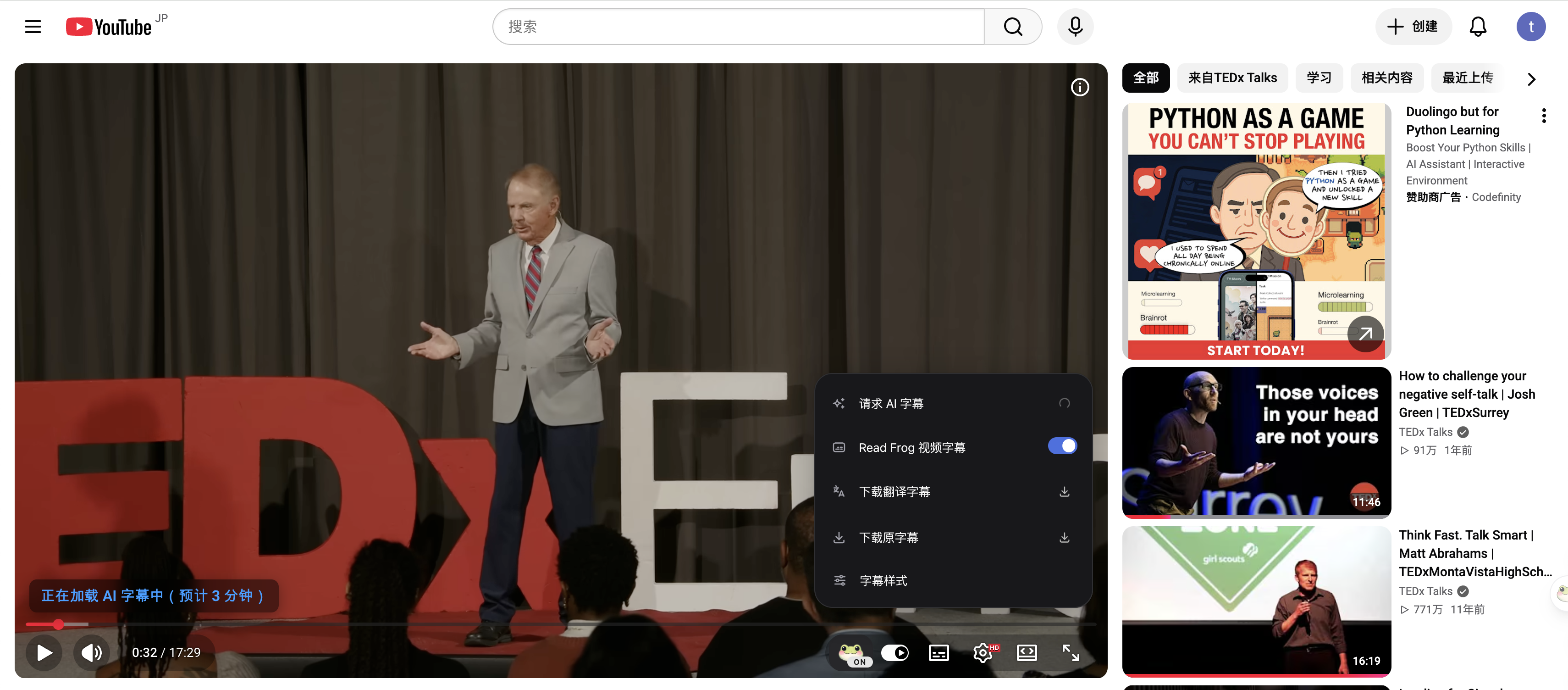
-
Watch. As soon as it's ready, bilingual subtitles appear on the player, translated by whichever provider you use today.
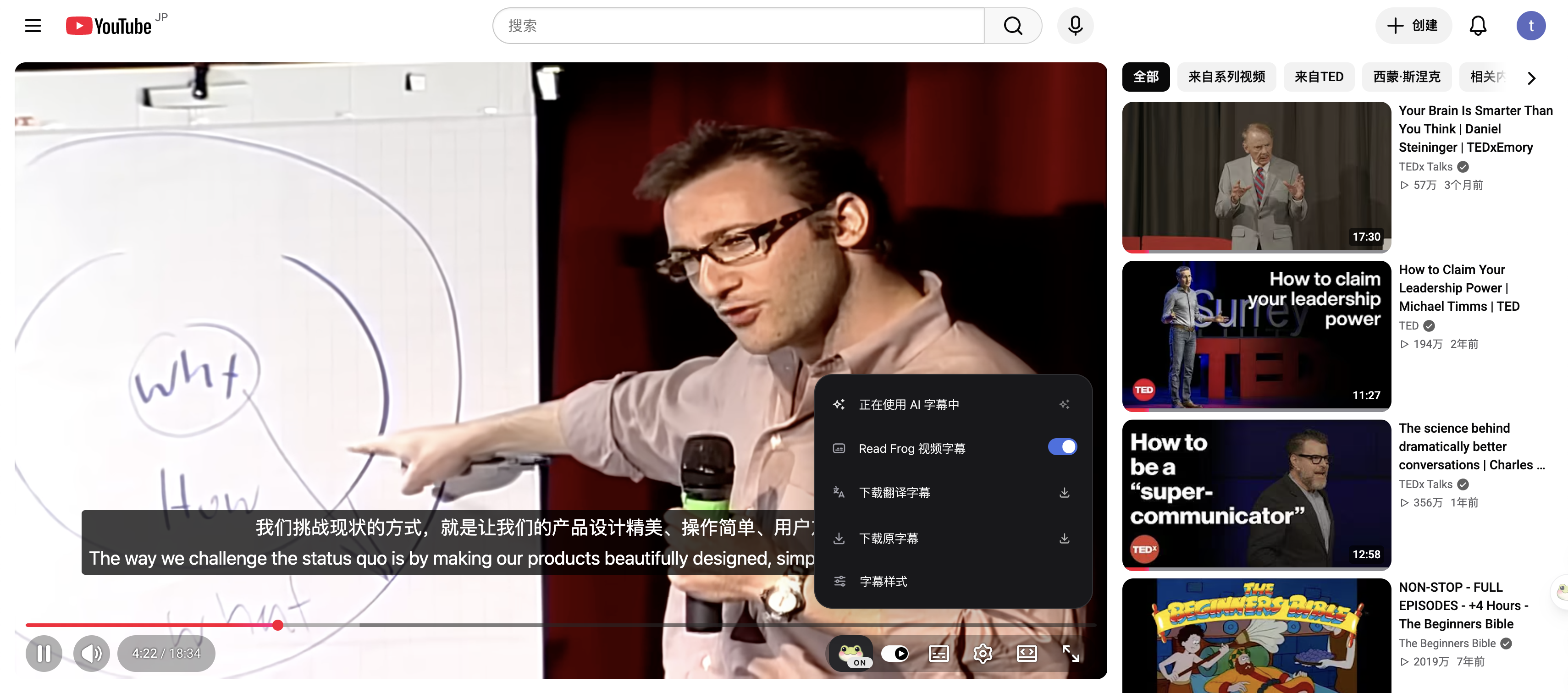
Transcripts are shared. If anyone has already requested AI subtitles for a video, you get the finished result instantly — and it costs you zero minutes. Popular videos get cheaper for everyone over time.
A Pro and Ultra feature
Transcribing audio costs us real compute on every single minute, so this one is for members. Here is exactly what each plan gets:
| Plan | AI transcription |
|---|---|
| Free | — (upgrade to unlock) |
| Pro | 300 minutes of video per month |
| Ultra | 1,000 minutes of video per month |
A few details we'd rather state plainly than have you discover:
- Minutes count the length of the video, not how long you watch. A 20-minute video costs 20 minutes, once, ever — rewatching is free, and so is any video someone else already transcribed.
- Your minutes reset on your billing anniversary each month, not on the 1st.
- A single video can be up to 4 hours long.
Launch bonus 🎁 — every account whose first paid subscription starts before September 14, 2026 receives a one-time gift of 300 extra minutes on top of the monthly allowance. Already a member? You have it too.
Ready to try it? Plans are on the pricing page.
Being upfront about the limits
- YouTube only, for now. Other platforms are on our radar, but we'd rather ship one platform that works well than five that half-work.
- Transcription and translation are separate steps. The minutes above cover turning speech into text. Translating that text goes through your configured translation provider, like every other subtitle. One note if you use Built-in AI as that provider: subtitle translation is currently funded on Ultra only — Pro members can pair AI transcription with their own API key or any free provider, with no limits from us.
- Quality follows the audio. Clear speech transcribes beautifully; a noisy panel discussion with four people talking over each other will show its seams.
What's next
This release makes caption-less videos readable. We're already looking at what should come after — smoother handling of long videos, and bringing AI subtitles beyond YouTube. If there's a platform you want first, tell us.
Try it now
- Update Read Frog to 1.46.0 — your browser usually does this on its own within a few days.
- Sign in to your Read Frog account, and make sure you're on Pro or Ultra — remember, first payments before September 14, 2026 carry the extra 300 minutes.
- Open that video you gave up on, and click Request AI subtitles.
If anything doesn't work the way this post promised, come find us on Discord or open a ticket in our feedback centre — we read everything.
Written by
Read Frog Team
At
Sun Aug 16 2026
Extension Version
1.46.0