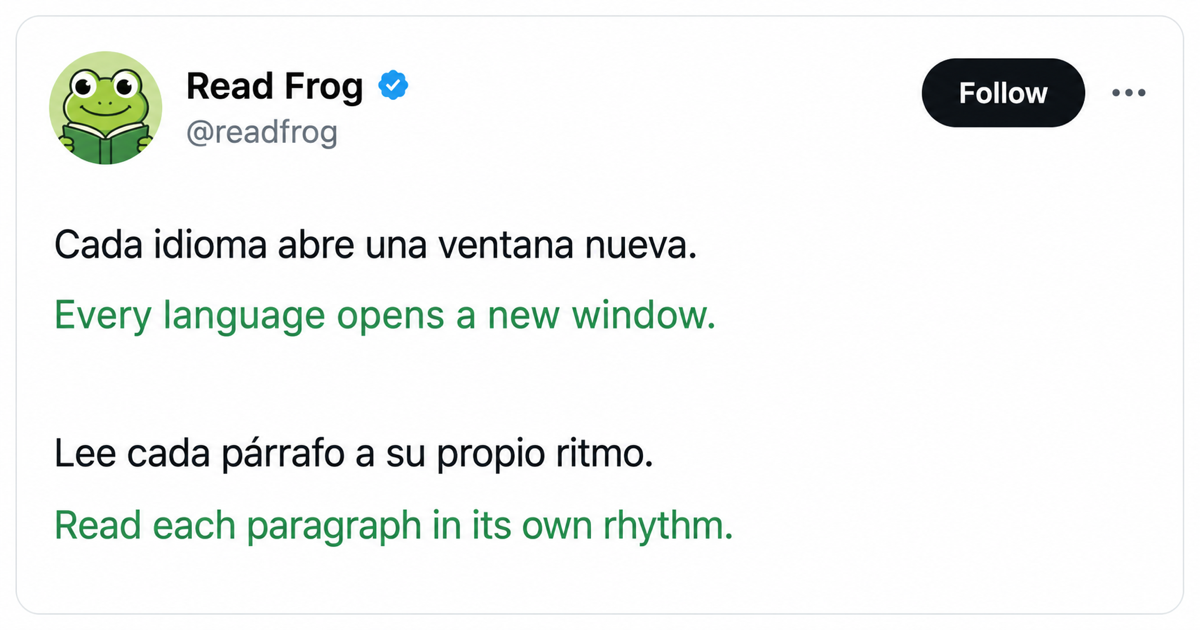
X posts should still feel like posts
X is not laid out like a typical article. A single post can mix short labels, several paragraphs, mentions, links, and emoji rendered as tiny images. The translation can be correct while the page still feels harder to read if those pieces no longer stay together.
Read Frog 1.40.2 improves that visual pairing. In bilingual mode, translations now follow the rhythm of the original post more closely: paragraphs remain distinct, compact interface text stays compact, and emoji remain attached to the sentence they belong to.
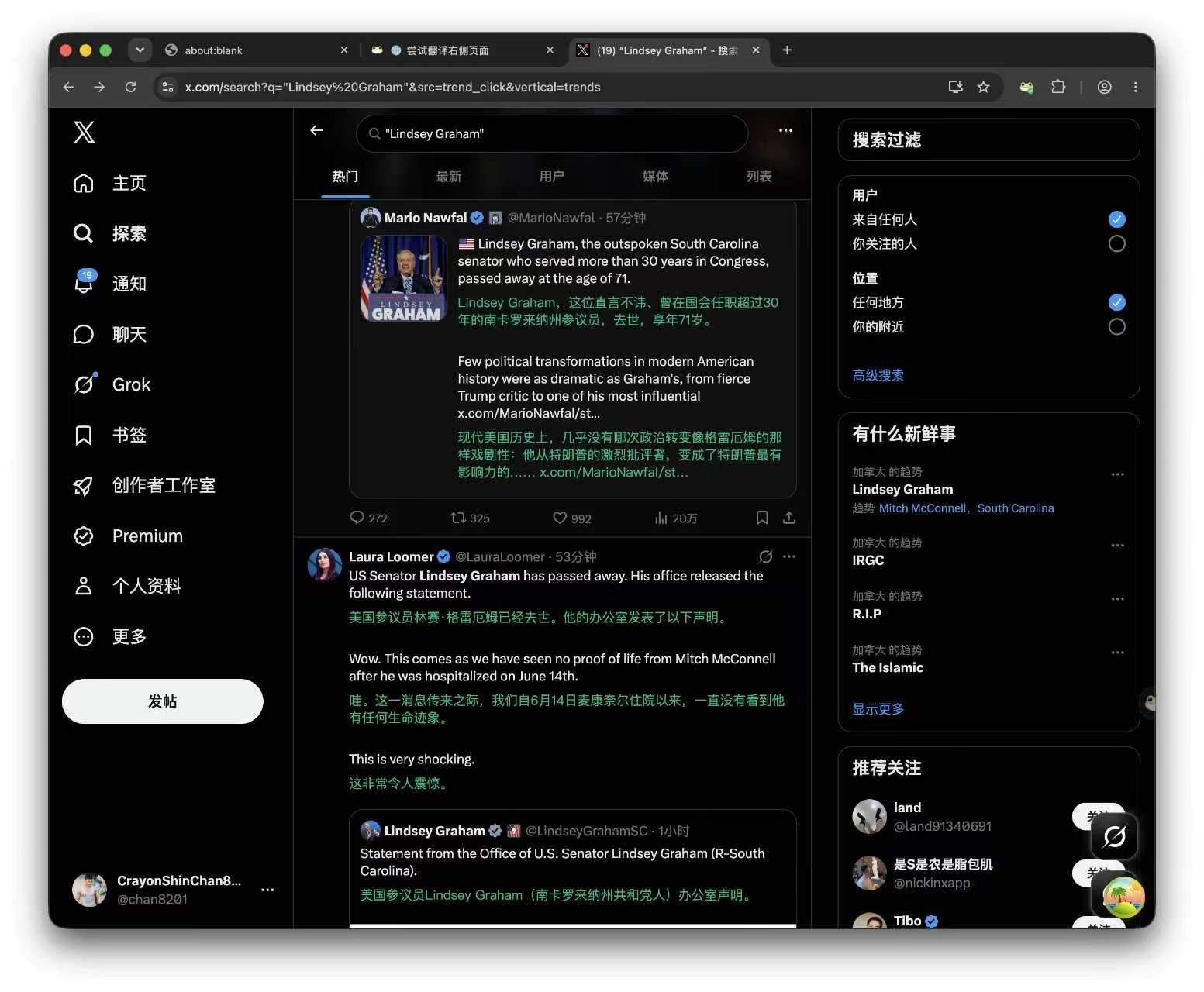
Translations now follow each paragraph
When a post contains multiple paragraphs separated by blank lines, Read Frog keeps those boundaries. Each translation appears directly after its source paragraph instead of collecting the translated text into one distant block.
That makes longer posts much easier to scan. You can read one thought in the original language, check its translation, and then continue to the next thought without losing your place.
This is a layout improvement for bilingual page translation. Translation-only mode continues to replace the original content in place.
Short interface labels stay compact
Modern websites often build compact labels with block-level elements. Treating every one of those elements like a full paragraph can make buttons, filters, and small cards grow much taller than intended.
Read Frog now recognizes short, single-line interface text and keeps its translation inline when the surrounding structure allows it. The result is a denser, more natural layout for small UI elements.
Paragraph structure still takes priority. A short sentence inside a real post remains a paragraph when the page marks it as one; it is not squeezed onto the same line just because it is brief.
Emoji stay with the original sentence
X frequently renders emoji as Twemoji images rather than ordinary text characters. Previously, a translation could be inserted between the sentence and those trailing images, making the emoji look as though they belonged to the translation.
Read Frog now keeps trailing inline emoji with the source paragraph and places the translation after the complete source unit. Toggling translation off also restores the original post without moving or duplicating those elements.
Available in Read Frog 1.40.2
There is no new switch to configure. Once your browser updates Read Frog to 1.40.2, open X and use bilingual page translation as usual.
The same layout rules also help other interface-heavy websites, but X is where the combination of paragraphs, compact controls, and image-based emoji makes the improvement especially visible.
Written by
Read Frog Team
At
Wed Jul 15 2026
Extension Version
1.40.2