
Configuration, Sync & Backups
Safely export, import, sync, back up, restore, reset, and localize Read Frog settings.
Open Options → Config to move or recover settings. Interface language is configured separately under Options → General.
Export safely
The export dialog lets you include or exclude provider API keys. Exclude keys for normal backups, bug reports, shared files, and version control. Include them only when moving your own configuration through storage you trust.
An export containing API keys is a credential file. Anyone who obtains it may be able to spend your provider quota or access your account.
Import and validation
Read Frog validates and migrates imported configuration before applying it. It also creates a backup of the current configuration first, so you can restore if the imported settings are valid but unsuitable.
Importing replaces many current values. Review providers, target language, Site Control, and per-tool disabled websites afterward—especially when the file came from another browser profile.
Google Drive manual sync
Connect Google Drive from the Config page, then start sync manually when you want to exchange settings with another browser.
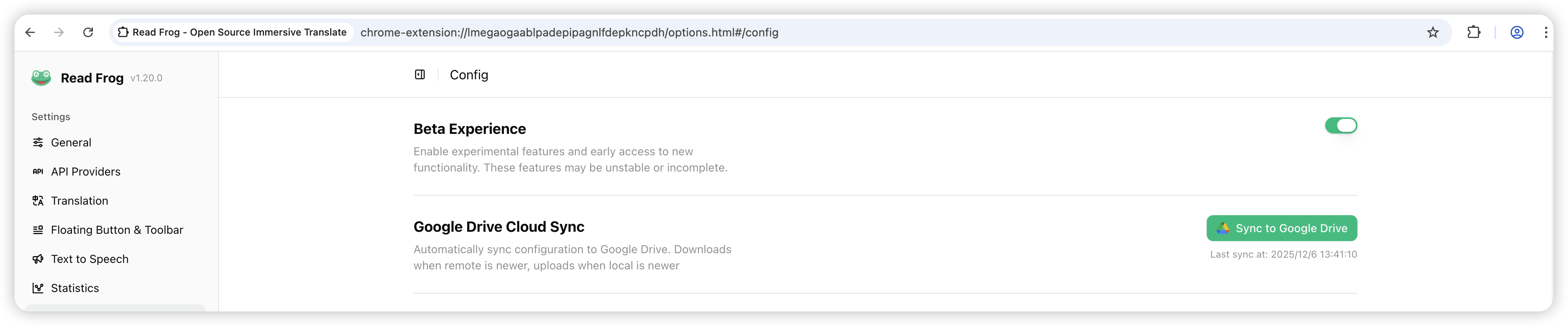
If only one side changed, Read Frog can use the newer copy. If both local and remote values changed, the conflict dialog lets you choose local or remote values per field, or select all local/all remote before confirming.
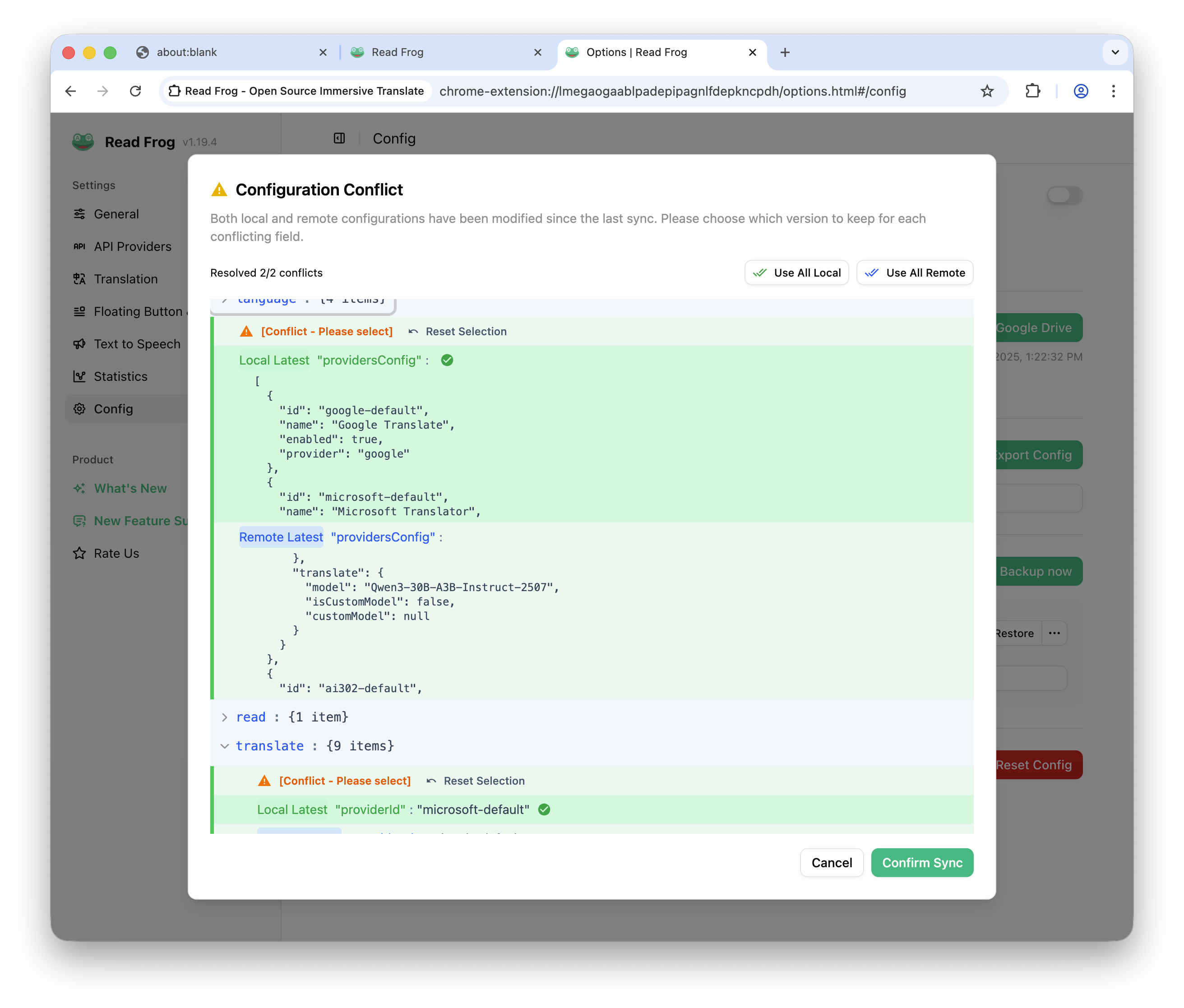
Validate the merged configuration in the dialog before applying it. Manual sync avoids silent background overwrites, but it also means changes do not appear on another device until you start sync there.
Automatic and manual backups
Read Frog checks for changed configuration about every 60 minutes and creates an automatic backup only when something changed. It keeps up to eight backups. You can also:
- create a manual backup before an experiment;
- restore a selected backup;
- export a backup to a file;
- delete backups you no longer need.
Backups are local to the browser profile unless you export or sync them. Before editing large Site Rules or prompt sets, make a manual backup with a recognizable timestamp.
Interface language
Options → General → Interface Language controls the Read Frog UI independently from the browser's display language. Changing it does not change translation source/target languages or website language detection.
Beta Experience and reset
Beta Experience enables experimental features that explicitly depend on it. Text to Speech is labeled Public Beta but no longer requires this switch.
Reset restores the default configuration. It is appropriate when a migrated or heavily edited setup cannot be repaired, but it removes customized providers, prompts, rules, and tool choices. Export without keys for support, and create a secure backup if you need credentials, before resetting.
Recovery sequence
When a configuration change causes a problem:
- export the current state without API keys for inspection;
- restore the most recent known-good local backup;
- if necessary, import a trusted export;
- reconnect Google Drive and resolve conflicts deliberately;
- use Reset only after the earlier recovery paths fail.
This order preserves the most evidence and gives you the easiest route back.