Some of what you need to read never reaches a web page. It's a paper someone sent you, a 60-page spec, a manual in a language you don't read. Pasting it into a translator a paragraph at a time loses the formulas, scrambles the tables and leaves you no way to check a sentence against the original.
PDF translation is now open to every Read Frog account. Upload a PDF on readfrog.app and Built-in AI translates the whole document. The text turns into your language; formulas, tables and figures stay where they were. Read it side by side online, then download it.
Here it is in 40 seconds:
PDF translation
Whole documents, with formulas and tables in place
Three steps, nothing to install
- Upload your PDFs. Drop them onto the PDF translation page or pick them from your computer: up to 100 pages and 50 MB each, and up to 10 at a time.
- Pick a language and a model. There are 13 languages to translate into, and the PDF's own language is detected for you. Built-in AI works right away, and Ultra adds Advanced Built-in AI.
- Read it, then download it. A translation usually starts within about a minute, then takes around 10 seconds a page. When it's done, it opens side by side on the page.
The translation runs on our servers, so you can close the tab and open it later from your translation history. A batch translates one PDF after another, and each one can be read as soon as it's done.
The layout stays where it was
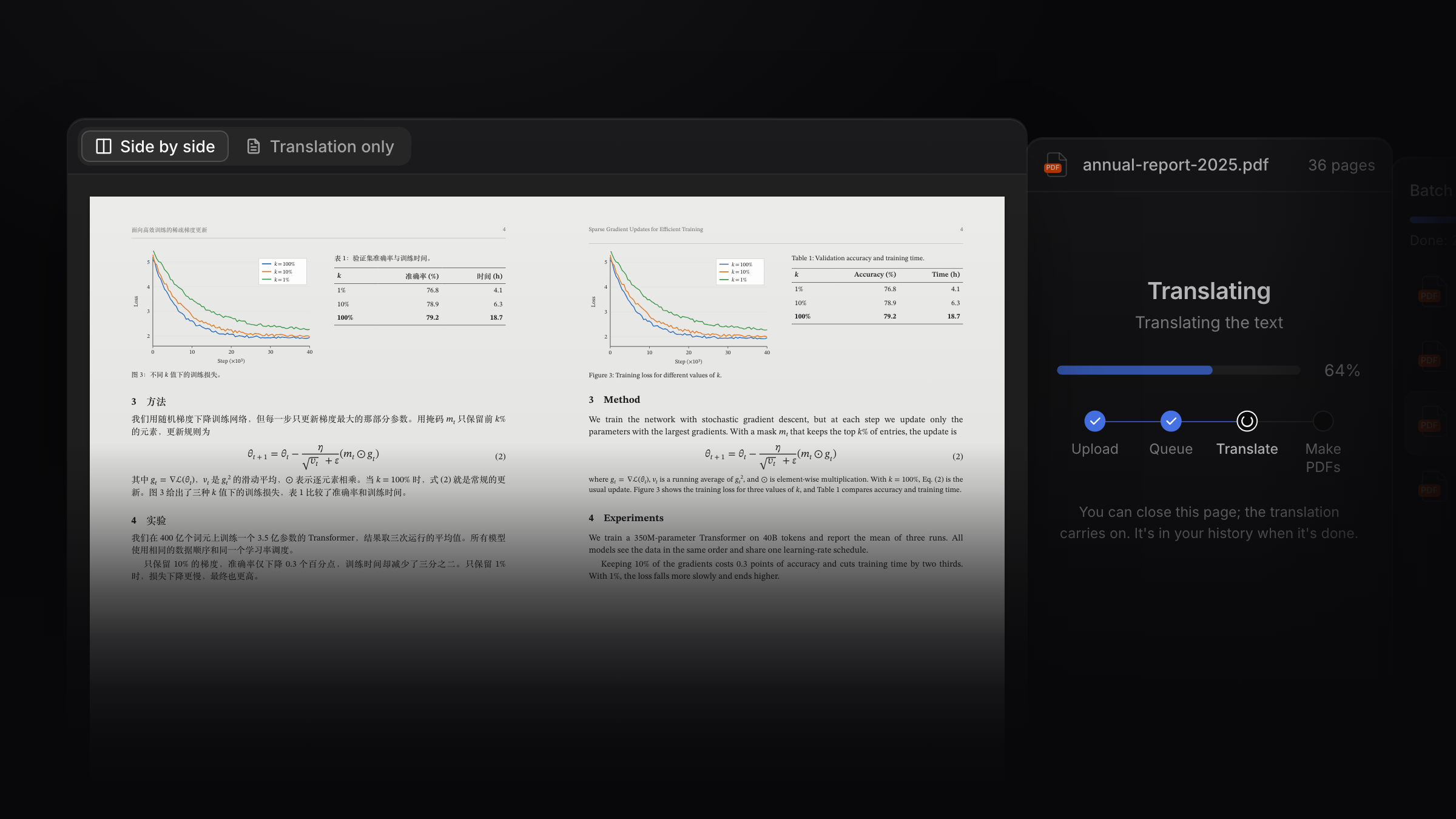
Only the words change. Look at the cover: a page from a Chinese paper sits next to its English translation, and the loss curves, the results table and equation (2) are in the same place on both sides.
- Formulas are kept as they are.
- Tables are translated cell by cell, and the numbers don't move.
- Figures stay on their page, and their captions are translated.
- Headings and columns keep their place, so page 12 of the translation is page 12 of the original.
A very complex page can come out slightly off. If you find one, tell us with Report a problem on the translation's page.
One translation, two versions
Every translation gives you both:
| Version | What you get | Good for |
|---|---|---|
| Side by side | Each original page next to its translation | Reading closely, checking a line against the original |
| Translation only | The original's pages and layout, in your language | Reading on its own, printing, sharing |
You choose when you download, not before. For a batch, Download all puts every finished PDF in one ZIP.
Free to try
| Plan | PDF translation |
|---|---|
| Free | One free translation: any PDF up to 100 pages, read in full online. Downloading it needs Pro. |
| Pro | About 1,000 pages a month, up to 10 PDFs at a time, both versions to download |
| Ultra | About 4,000 pages a month, and Advanced Built-in AI |
Pro and Ultra translate with the weekly Built-in AI credit the plan already includes, and longer PDFs use more of it. Credit you don't spend on PDFs still works for web page and subtitle translation. See Pricing for the plans.
There's no API key to set up, and you can't bring your own. A PDF can take several minutes on our servers, so your key would have to be stored there, and a server holding everyone's keys is one breach away from leaking them all. That's why our backend accepts no keys from users, and PDF translation always uses Built-in AI.
Made for these PDFs
Any PDF whose text you can select will work. These are the ones people bring most:
- Research papers, read side by side with formulas and references as they were.
- Technical docs, specs and developer docs with tables and diagrams where they belong.
- Reports and white papers, long and full of charts, with the layout still in order.
- Product manuals, checked against the original page by page.
Scanned PDFs, and PDFs whose pages are images, can't be translated yet. A PDF that is already a translation is turned away too: upload the original instead.
Your files
Your PDF is only used for this translation. It's deleted a day after the translation ends, and the translations after 7 days. You can delete them sooner from your history.
13 languages
Translate into English, Simplified Chinese, Traditional Chinese, Japanese, Korean, French, German, Spanish, Portuguese, Italian, Russian, Vietnamese or Turkish.
Translate a PDF now
A few minutes after you upload it, read it side by side online.
 I want to translate web pages and videos