
Page and Paragraph Translation
Translate a full page or a single paragraph, then choose the reading mode that works for you.
Translate a page
Use the floating button, the popup Translate action, or your configured page shortcut to translate the current page. Everything below lives in Options → Translation → Page Translation.
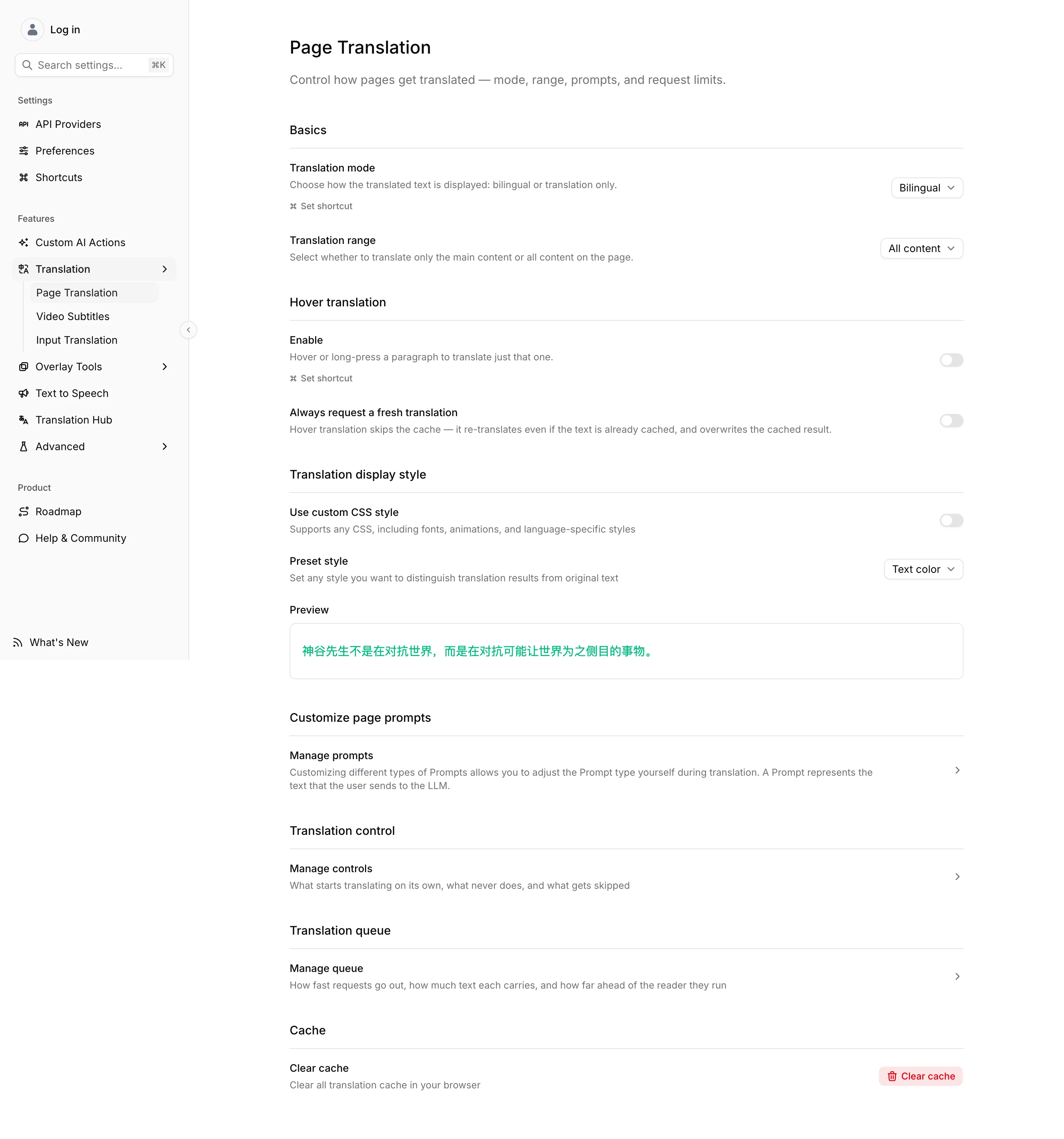
Under Basics, Translation mode chooses Bilingual to keep source and translation together or Translation only for a cleaner translated page, and Translation range chooses between the main content and all content on the page.
The extension preserves the original page so you can switch modes again without reloading. Dynamic pages may translate as new content becomes available; content intentionally excluded by the website or a site rule is not translated.
Translate a paragraph
To translate one paragraph at a time, turn on Hover Translation — its switch is on this screen, but the key you hold is chosen on the Shortcuts page. To translate a phrase you have selected, use the toolbar's Translate action or the context menu; see Entry Points. The source and target languages come from your extension settings, so change them before translating a page in a different language.
For automatic behavior, request tuning, batching, and language skipping, see Translation Control. For site-specific layout or selector exceptions, see Site Rules.
AI Smart Context
AI Smart Context summarises the surrounding page and sends it with each paragraph, so a model can resolve names, pronouns and terminology the same way twice. It needs an LLM provider and costs an extra model call, some latency, and tokens. The summary is cached and reused across the page.
Turn it on for technical writing and fiction, where an isolated paragraph loses its referents. Leave it off for simple pages, and on a provider with a strict quota — it sends noticeably more than the paragraph alone.
Prompts
The text sent to the model is a prompt you can replace. Page translation and video subtitles keep separate prompt lists. See Custom Prompts for the two fields and the built-in templates, Prompt Variables for what each {{placeholder}} is replaced with, and How a Request Is Assembled for what happens to the reply.
Cache
Translated paragraphs are cached so a second visit costs nothing. Clear cache discards stored page translations and Smart Context summaries; it does not touch providers, prompts or any other setting.
Editing a prompt has the same effect on its own, because the assembled prompt is the cache key — the next read re-requests everything. If only one site looks wrong, check Site Rules before clearing everything.