
Translation Hub
Paste text once and translate it with several providers side by side, so you can compare wording before committing to one.
Translation Hub is a full page of its own rather than a settings screen. Open it from Options → Translation Hub; it opens in a new tab, so your settings stay where they were.
What it is for
Page translation gives you one translation, from one provider, in place. Translation Hub does the opposite: it takes one piece of text and runs it through several providers at once, so you can read the results next to each other.
That makes it the right place to:
- decide which provider to assign to page translation or subtitles, using your own text instead of a benchmark;
- see how a custom prompt actually changes the output before you make it the active one;
- translate a paragraph that is not on a web page at all — something from a PDF, an email, or a chat.
Translate something
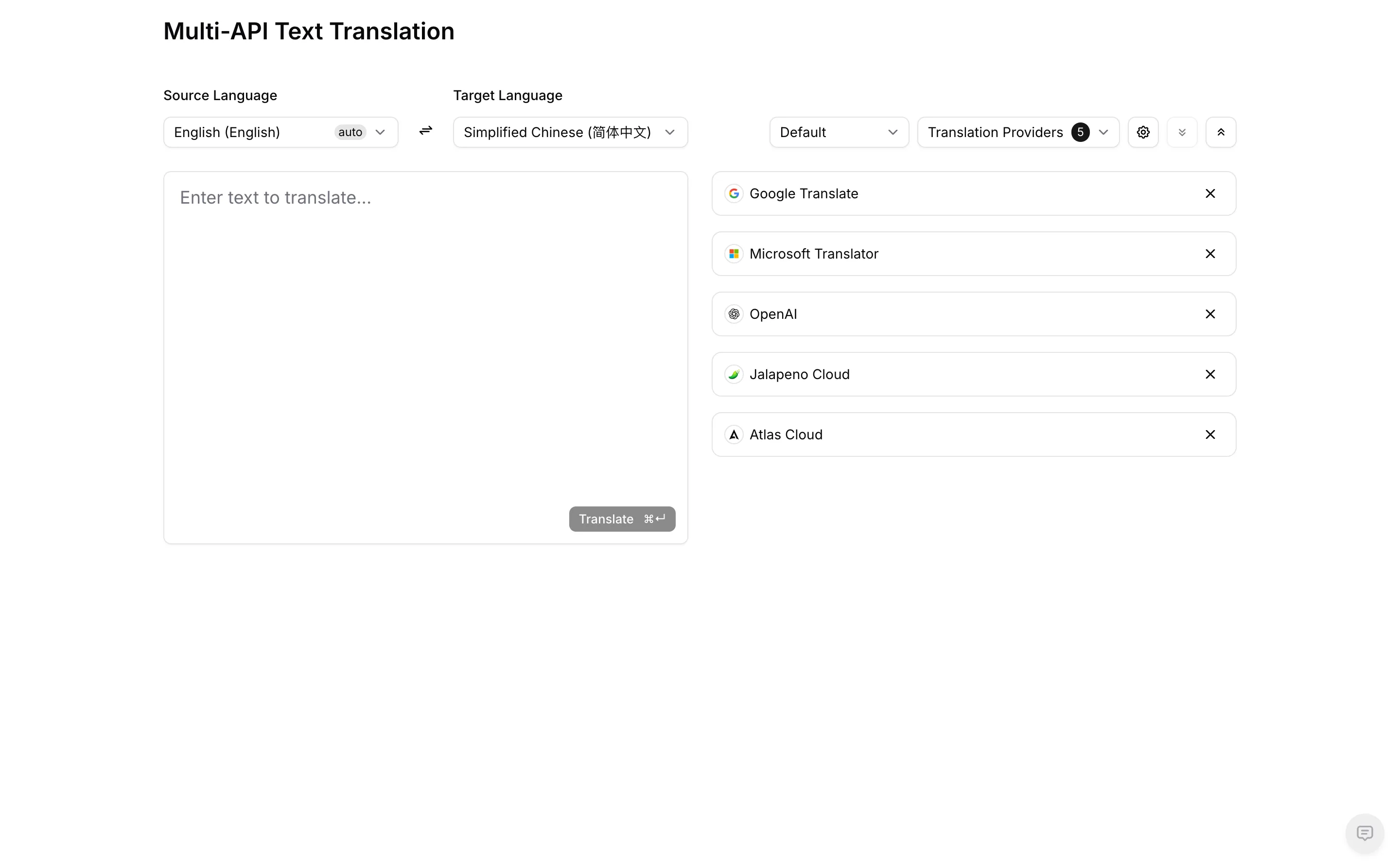
Set Source Language and Target Language. Source defaults to auto, which detects the
language from the text you paste. The arrows between the two selectors swap them.
Open the Translation Providers dropdown and pick which ones take part. The badge next to it
shows how many are currently selected, and the list on the right shows them in order; the × on a
row removes it from this comparison.
Choose a prompt from the dropdown next to the providers. It lists the same page-translation prompts you manage in Prompts — including any you have added yourself — so Default here means the same thing it means there.
Paste your text and press Translate, or use the ⌘/Ctrl + Enter shortcut shown on the button. Each provider returns into its own card.
What affects the result
The prompt selector only reaches providers that can take a prompt. A pure translation provider such as Google Translate or Microsoft Translator has no prompt to receive, so it returns the same output whichever prompt is selected — that difference between the cards is expected, not a bug. See Pure Translation Providers for what those providers can and cannot do.
Only providers you have already added and enabled in API Providers can be selected here, and each one is called with its own credentials and quota. Comparing five providers on a long passage sends five requests.
Compare on text that is actually hard — a sentence with a pronoun that needs context, a technical term, or an idiom. Everything translates the same easy sentence well, so easy text tells you nothing about which provider to pick.
Where to go next
Once you have decided, assign the provider to the feature that should use it in API Providers, and keep terminology consistent across features with a Glossary.